
The RFI Tracking workflow enables teams to capture, manage, and track RFIs across all
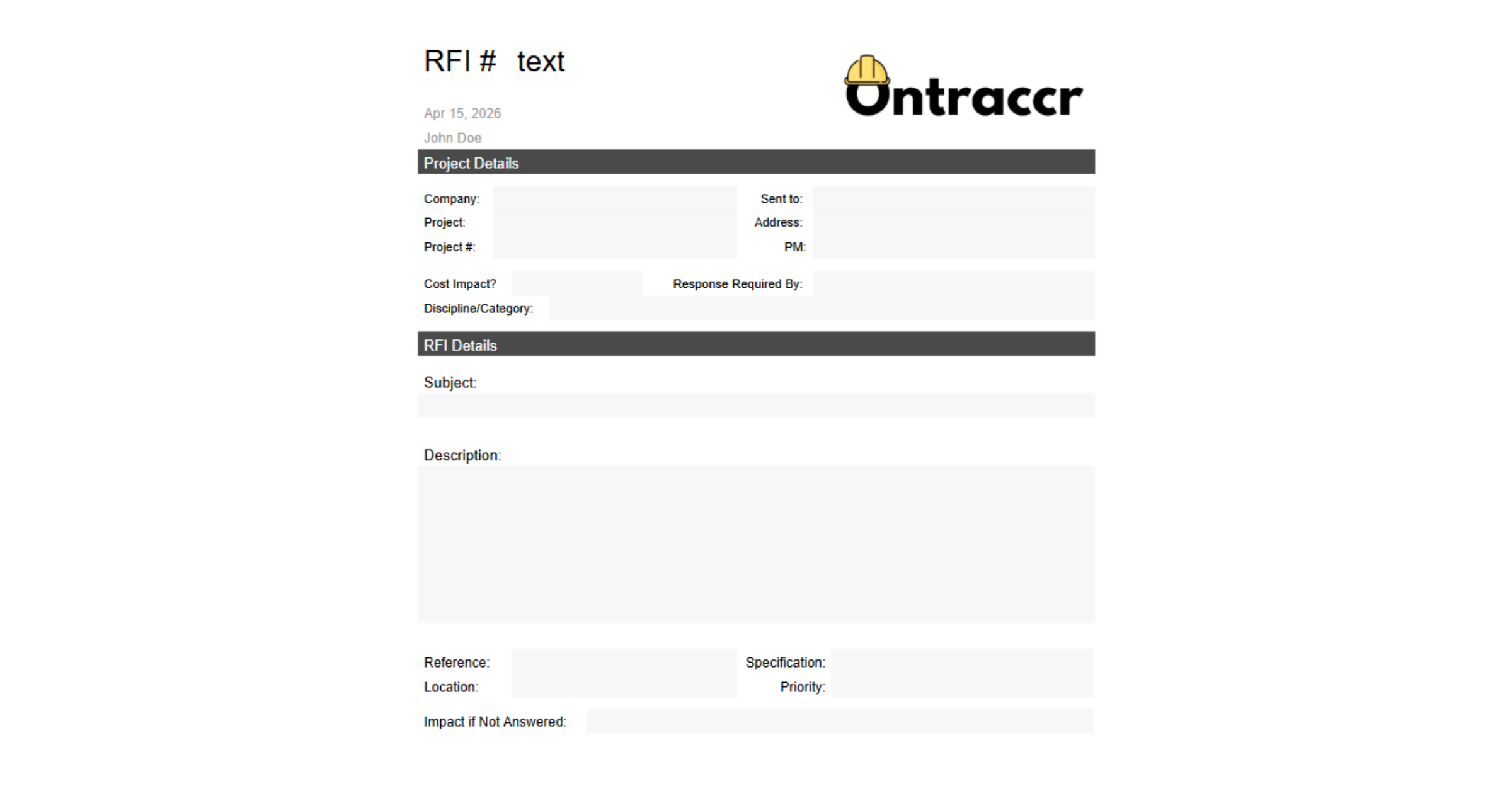
projects in a centralized system. RFIs are submitted through a standardized form and
automatically routed to the appropriate project manager or approver.
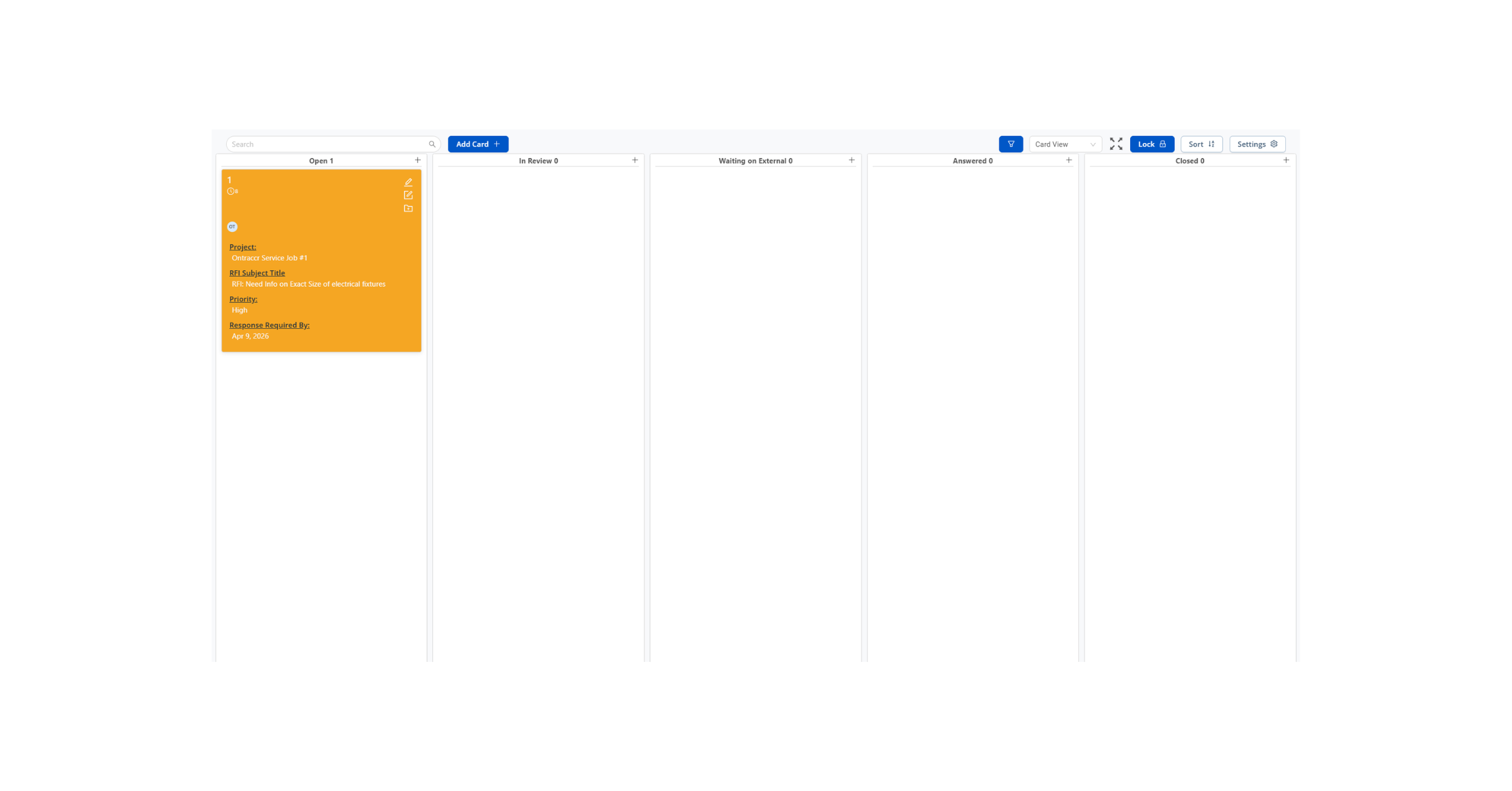
Once approved, RFIs are logged in the RFI Tracker Board, where users can monitor
progress, assign responsibility, and track status changes. All RFI data is captured and
mapped directly to board cards, providing a clear audit trail and real-time visibility.
Teams can filter RFIs by project, priority, or assigned user, ensuring nothing falls through the
cracks.
Automations Included
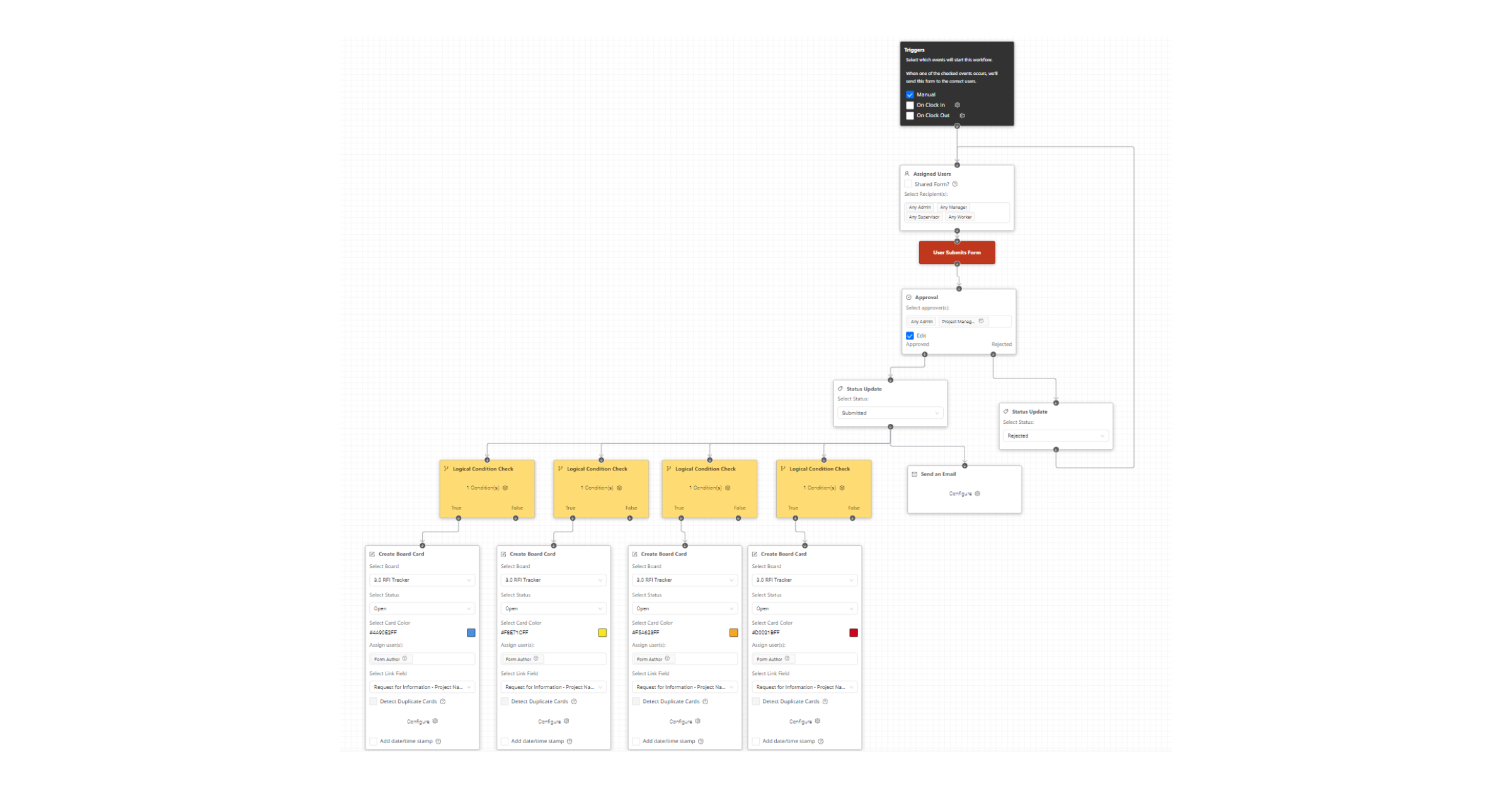
- Auto-route RFI for approval upon submission
- Auto-create board card after approval
- Auto-send RFI to external stakeholders via email
- Auto-map form data into board card fields
Common Use Cases
- Manage RFIs across multiple projects in one centralized view
- Route RFIs internally before sending to external stakeholders
- Track response times and prevent RFIs from being missed or delayed
Optional Customization Notes
- Add escalation automations for overdue RFIs
- Customize approval routing by project or department
- Adjust form fields based on project requirements

You can also view our full article on Why RFIs Are So Easy to Lose Track Of